Configuration
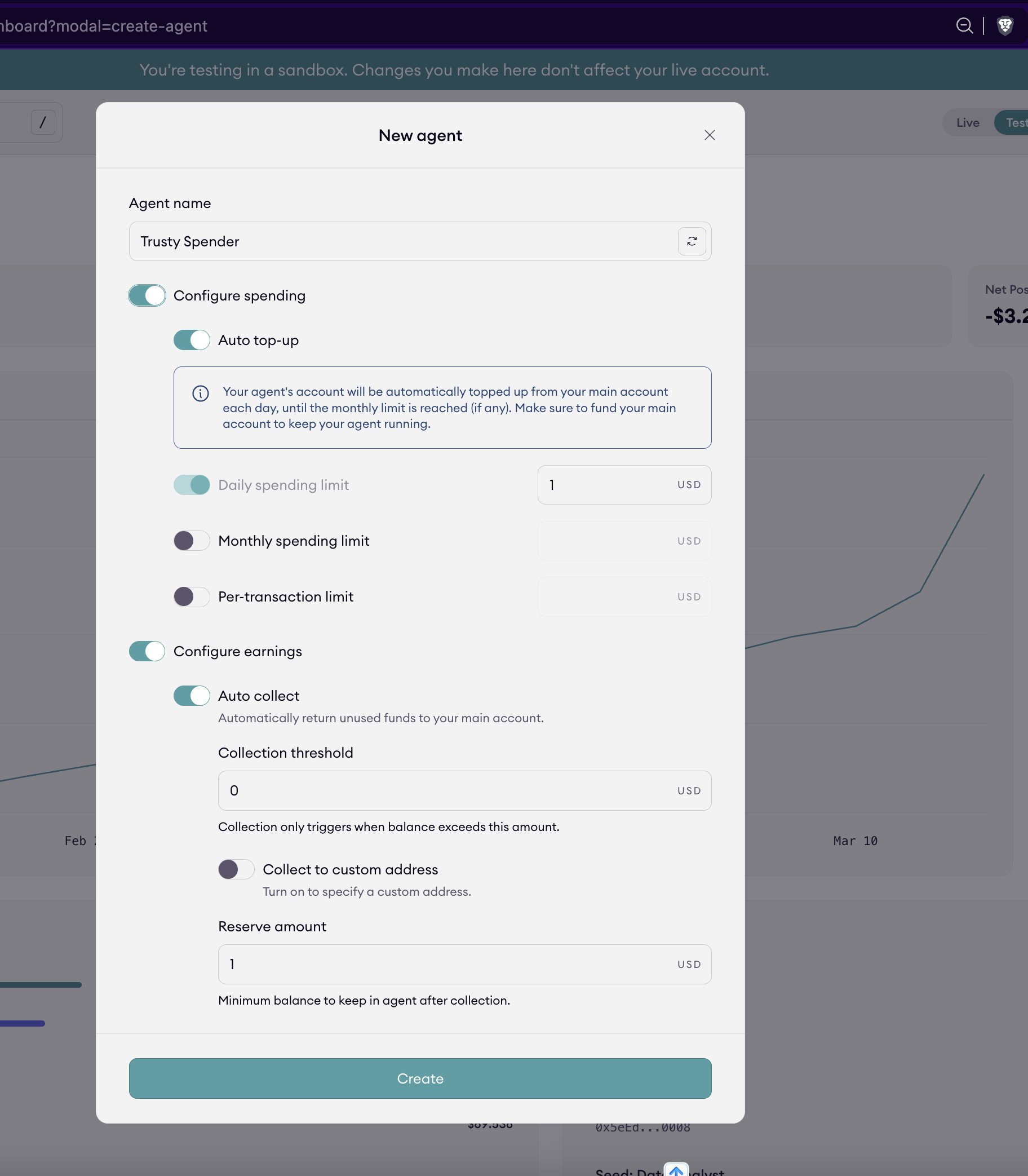
Agent configuration defines how an agent manages funds, enforces spending limits, and controls interactions with other agents. These settings set clear operational boundaries so agents can act autonomously without exceeding intended limits.
Use this page to configure funding automation, spending controls, access restrictions, and agent keys.
When creating an agent, these settings can be configured directly in the creation flow.
Configure auto top-up
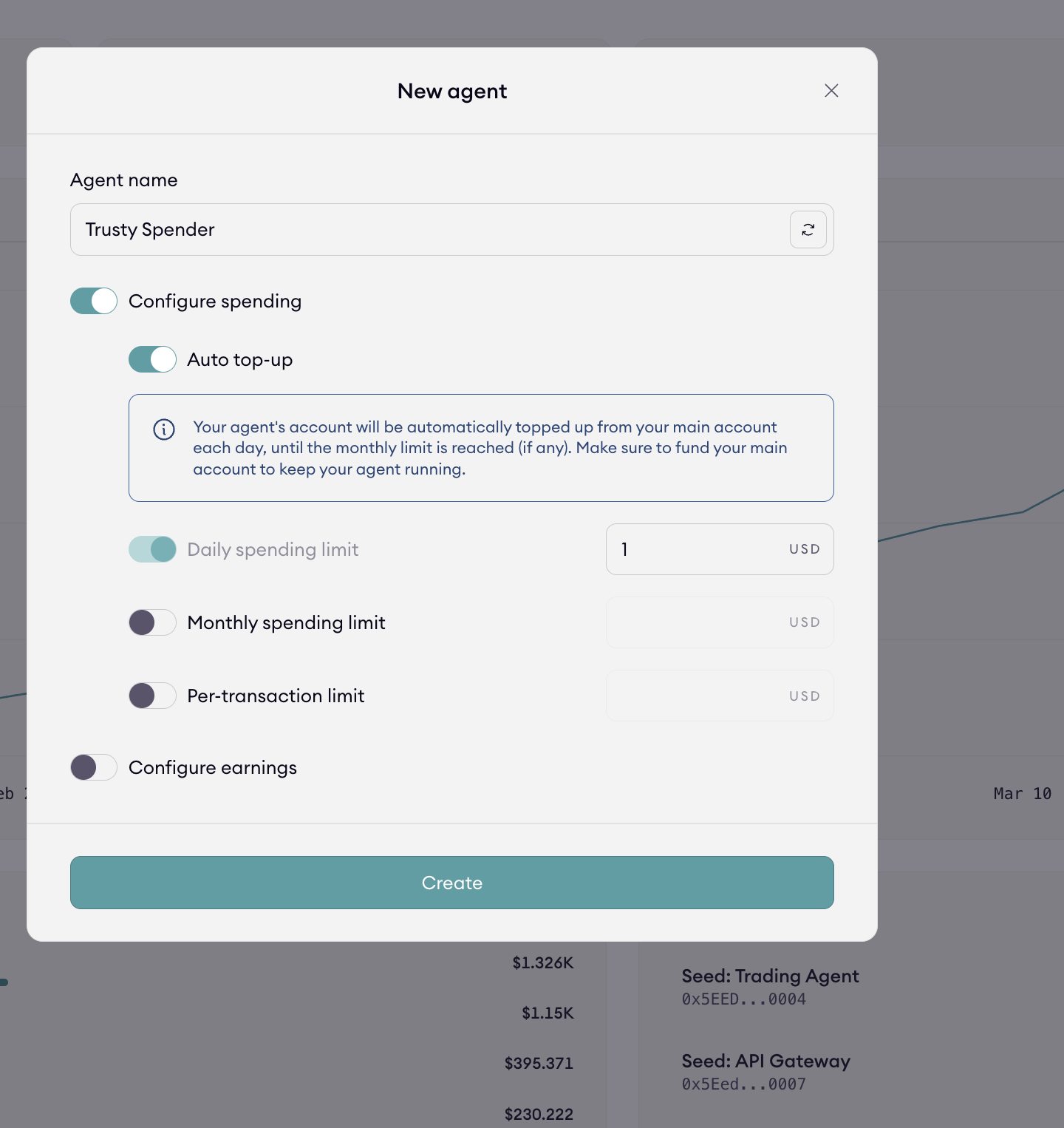
Auto top-up automatically replenishes the agent’s wallet from your main account.
Funds are topped up to the daily spending limit.
The daily limit also serves as the target balance for auto-top-up behavior.
Auto top-up ensures the agent has sufficient funds to operate without manual intervention, while still respecting defined spending constraints.
Configure spending limits
Spending limits define how much an agent can spend over time and per payment. All spending limits are enforced by the AmpersendTreasurer in the SDK.
Three levels of spending control are available:
| Limit Type | Description |
|---|---|
| Daily Limit | Maximum total spend per day. Also used as the target amount for auto top-up. |
| Monthly Limit | Maximum total spend per calendar month. |
| Per-transaction Limit | Maximum amount allowed for a single payment. |
These limits help prevent runaway spend or abuse when agents act autonomously.
Configure auto-collect
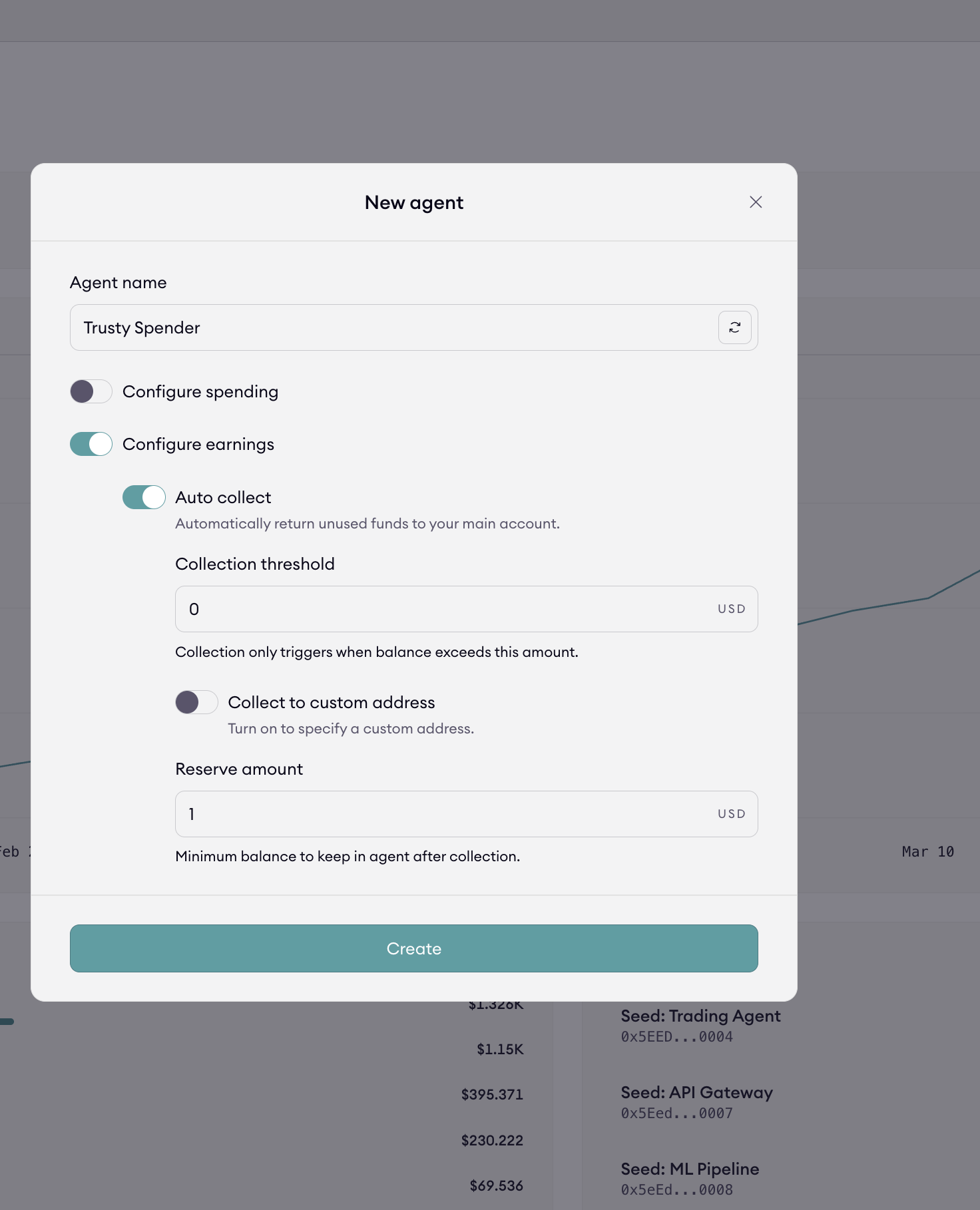
Auto-Collect is an automated mechanism that sweeps unused funds from an agent account back into a designated destination account. Its primary purpose is to reduce idle balances and centralize funds without manual action.
How Auto-Collect Works
When enabled, Auto-Collect continuously monitors the agent’s wallet balance. Once the predefined conditions are met, excess funds are transferred from the agent account.
Configuration Fields
The following fields control Auto-Collect behavior:
- Trigger threshold: The balance level at which Auto-Collect activates and initiates a sweep
- Reserve amount: The minimum balance that must remain in the agent account at all times. If auto top-up is enabled, this value must be greater than the daily spending limit
- Collection address: An optional custom destination address. If set, collected funds are sent to this address instead of the main account
Configure the seller allowlist
The seller allowlist restricts which seller agents a buyer can interact with.
- When configured, transactions are limited to sellers included in the allowlist
- Leave the allowlist empty to allow interactions with all sellers
Manage agent keys
Agent keys are session keys used by the agent in your SDK integration. Use this section to add or rotate agent session keys.
Summary
- Create -- initializes wallet + identity
- Configure spending -- controls how funds are used
- Configure earnings -- controls how funds are retained or returned
These controls define the operational boundaries for autonomous agents.