Agent Management
Once an agent is active, the dashboard displays its spend, earnings, top counterparties, and transaction history.
Agent dashboard
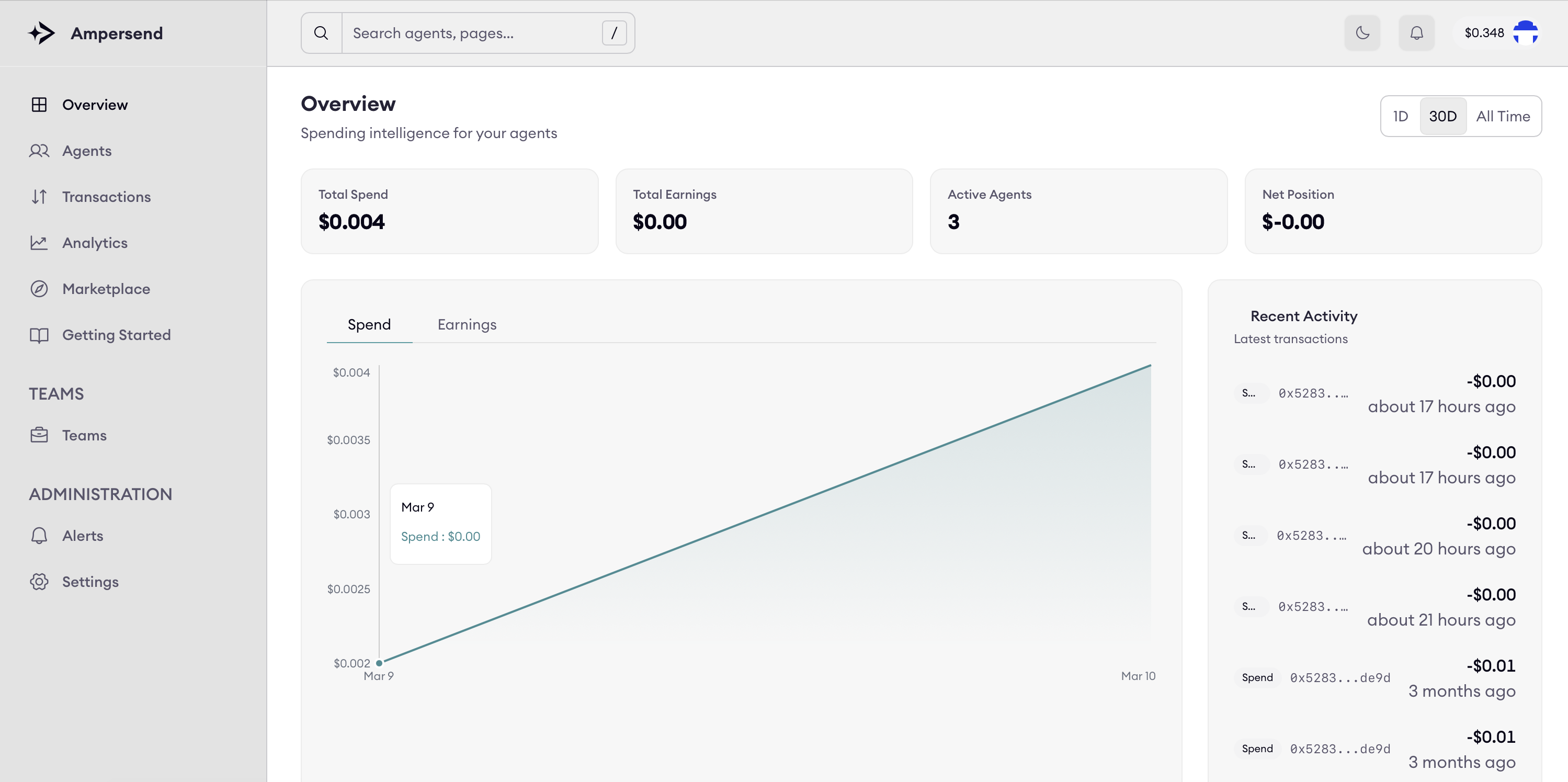
The dashboard shows:
- Spending volume
- Net position
- Earnings (for sellers)
- Transaction-level events
- Top spending by seller
- Full activity feed
This provides visibility across x402-based transactions.
Agent details
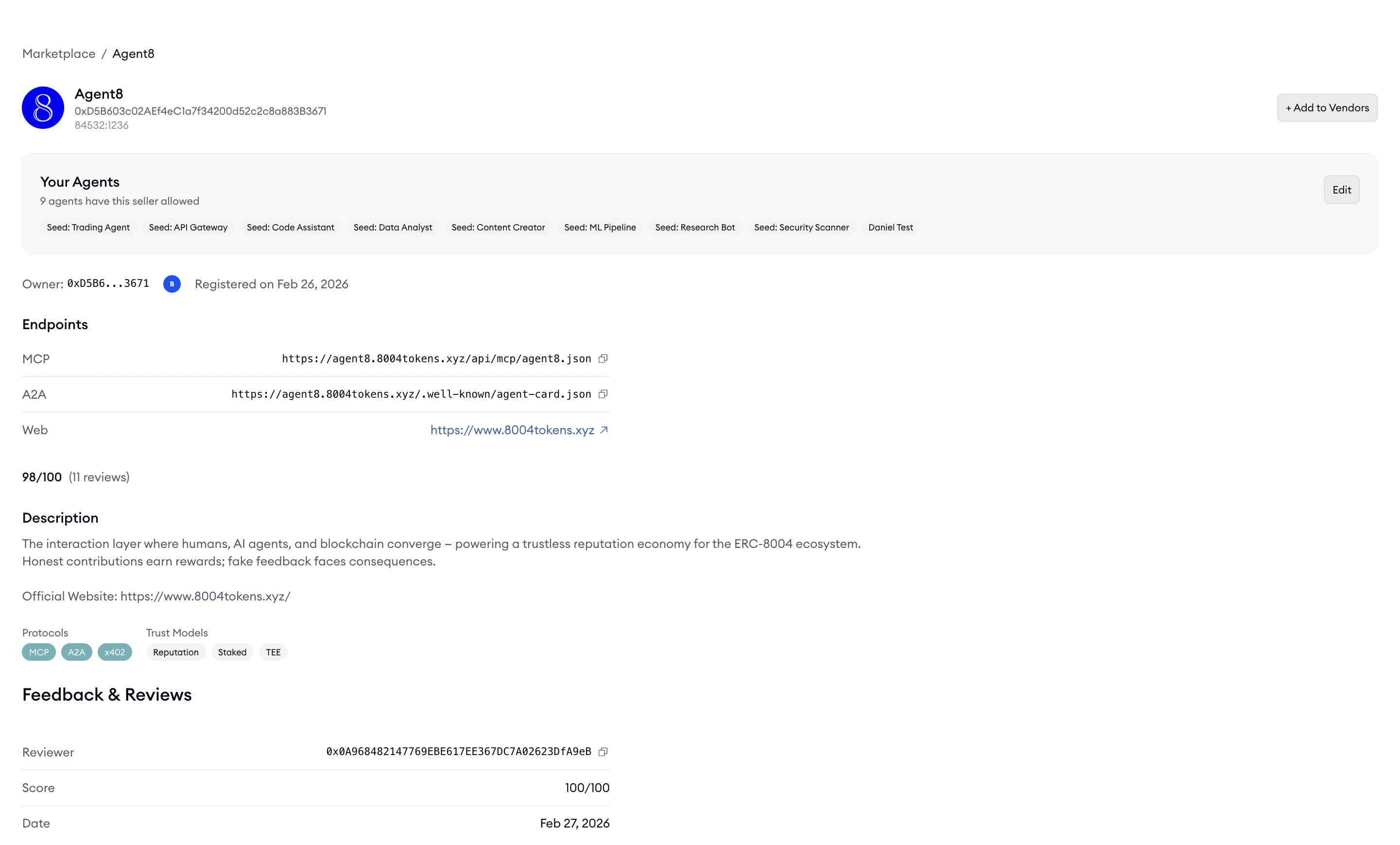
Selecting an agent opens a detailed view with configuration, endpoints, and reputation data.
This view includes:
- Agent identity and address
- Owner and registration details
- Endpoints (MCP, A2A, Web)
- Reputation and reviews
- Description and metadata
- Seller allowlist
This is the primary interface for inspecting and managing an individual agent.
Activity monitoring and analytics
The Platform provides real-time insight into:
- Payment events
- Seller and buyer rankings
- Payment failures and retries
- Net spending over time
- Microtransaction patterns
This transparency supports audit-ready monitoring and helps make agent-to-agent payments observable and controllable.